
Staff Punch Clock
Employee time clock: scheduled shifts, holidays and timesheets
Works on phone, tablet and computer —
in the browser, with the Clock'npay APK (Android)
or the Windows installer (PC), downloaded from this page.
No account to create.
Free 30-day trial: 5 employees and 2 managers.
Then $125 per year (16 employees, 2 managers)
or $499 lifetime (unlimited employees, 2 managers).
About this app
Staff Punch Clock is a time clock and scheduling tool for small teams: employees clock in, take breaks and clock out, while managers organize shifts, holidays and timesheets from the same screen. On the employee side: everyone picks their name on the shared screen, then taps Clock In, Start Break or Clock Out. A GPS position is recorded with each punch to confirm the workplace, and a small message feed lets the team leave notes for each other. On the manager side: the Admin view adds or removes employees, plans and assigns shifts (the app refuses double-bookings and checks existing recurring templates), shows the printable weekly calendar — ready to post in the break room — and exports timesheets as CSV or PDF for any date range, with hours, breaks, statutory holidays and gross pay. Every shift change can email the employee concerned (and text them when a number is configured), and reminders can be scheduled ahead of statutory holidays. The app comes with a free 30-day trial for 5 employees and 2 managers. After the trial: $125 per year for 16 employees and 2 managers, or $499 lifetime for unlimited employees — always 2 managers. On Android, the Clock'npay APK — downloadable from this page — installs the same app with a home-screen icon, CSV exports and PDF printing included. On computers, the Windows installer downloaded from this page installs the same app locally (desktop and Start menu shortcuts). Web app, no account and no remote database: data lives in the current session, and your records go through the exports. Built by the ST-GO team — Strictly Good, Montreal, Quebec.
How to pay
The 30-day trial is free. To continue afterwards, choose your plan — $125 per year (16 employees, 2 managers) or $499 lifetime (unlimited employees, 2 managers) — and pay by PayPal by scanning this code:
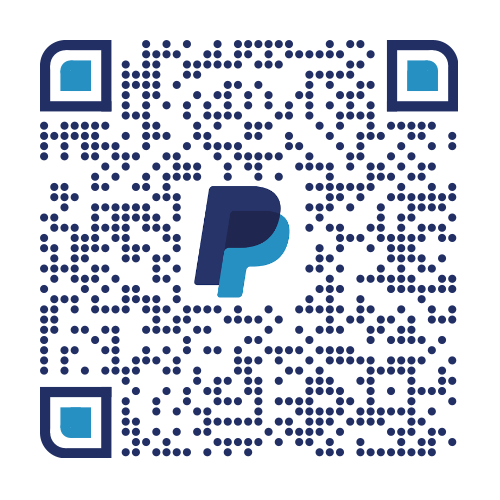
- Scan the code with the PayPal app (or your phone's camera) and pay for the plan you chose.
- Keep the PayPal receipt: ST-GO hands you your licence key against that receipt.
- In the app, open Administration → Licence, type the key into Redeem and confirm: seats go up to 16 (or unlimited) and the company logo is unlocked.
Frequently asked questions
Do I have to install anything?
No — Staff Punch Clock is a web app: it opens in the browser of your phone, tablet or computer. On a phone, you can add the page to your home screen to open it like an app. On Android, you can also install the Clock'npay APK downloaded from this page: it adds the icon and opens the same app.
How do employees sign in?
There is no password: each employee simply picks their name on the clock screen. Manager functions (employees, scheduling, timesheets) live in the app's Admin view.
What happens to my data?
It lives in the app's current session: nothing is sent to a server, except the shift notifications you choose to send. Export timesheets as CSV or PDF for your payroll records.
Can I schedule shifts in advance?
Yes — create a shift, pick the employee, date and hours. If it overlaps an existing shift or recurring template, the app flags it and refuses the double-booking. Recurring templates fill the calendar every week without retyping the same shifts.
Are employees notified of changes?
Yes — every shift created, updated or cancelled can email the employee (and text them when a number is on file), with the date, hours, role and notes.
What does the exported timesheet contain?
For the chosen date range: punches (in, break, out), hours worked, break hours, statutory holidays flagged with their premium pay, and gross totals. CSV (spreadsheet) or PDF (print) formats.
How much does it cost?
The 30-day trial is free: 5 employees and 2 managers. After that, pick a plan: $125 per year for 16 employees and 2 managers, or $499 lifetime for unlimited employees — always 2 managers.
Windows blocks the installer (SmartScreen)?
The installer is not yet signed with a purchased certificate: in the SmartScreen window, click “More info”, then “Run anyway”. You can verify the downloaded file — its SHA-256 fingerprint is published next to the binary in the .sha256 file.